Product photographyOne product photo
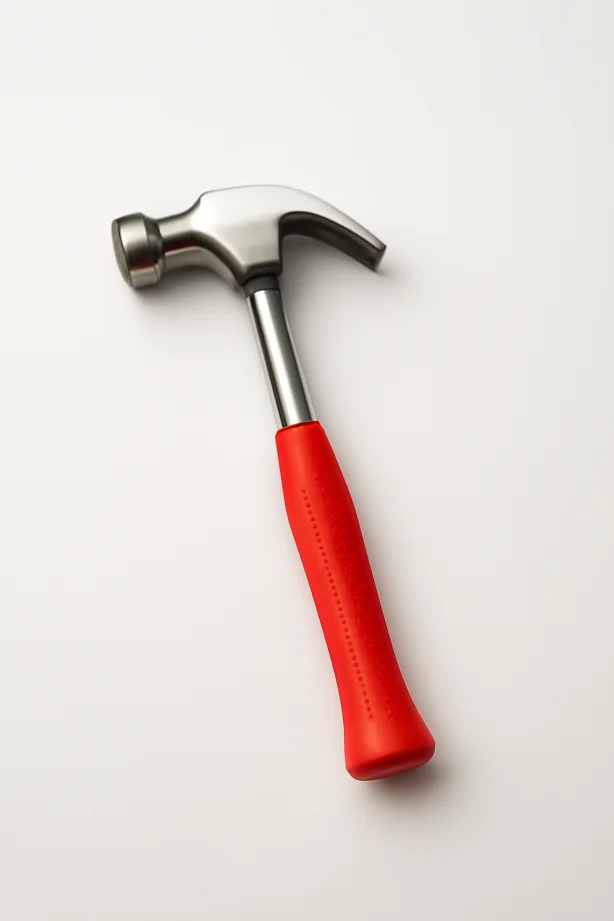
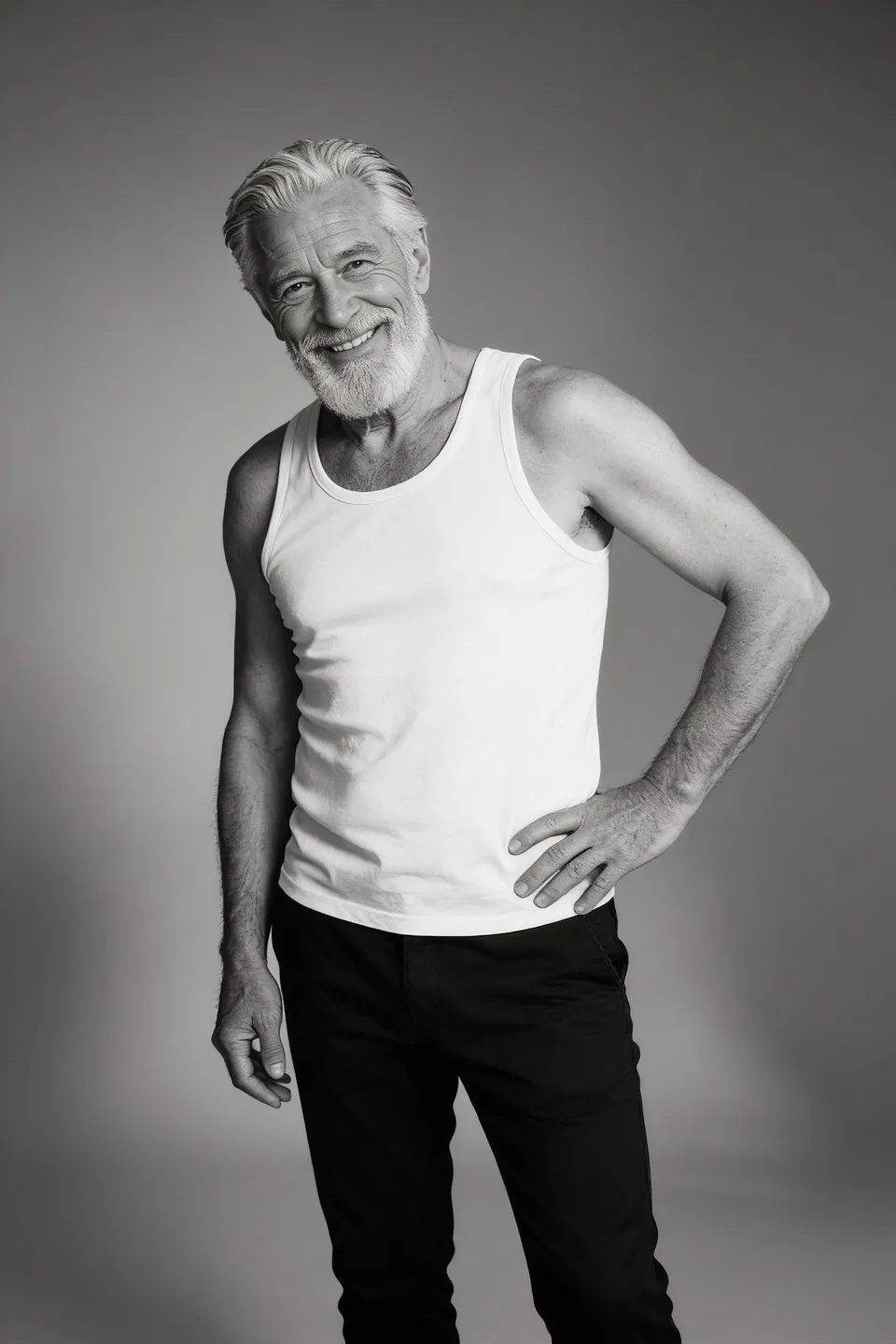
Create a clean commercial studio image of the product in this reference photo. Preserve the exact shape, proportions, color, materials,…
Nano Banana ProUse this promptPosters with short headline text, outfit and background changes from up to four reference photos, 4K product shots, and a short clip from a still — with Nano Banana 2.1, Nano Banana Pro and GPT Image 2 in one browser. Named after the spicy-mayo model from Arena's blind image battles, and home to Nano Banana 2.1, the model it is reported to have become.
Try: Poster with readable textProduct photo on a clean backdropChange an outfit
Explore first. Choose a plan when you’re ready to generate. PHOTO EDITING
 IMAGE GENERATION
 VIDEO GENERATION
Concept artwork and a real H3 Max animation made in Spicy Mayo. Every example page names the model that made it.
5 image models. 9 video models. One creative workspace.
Spicy-mayo is the codename of an anonymous image-generation model that first appeared in Arena's blind image battles on 9 September 2026. Community reports linked it to an unannounced Google model nicknamed "Nano Banana 2.5"; Google has not used either name officially. Spicy Mayo (spicymayo.co) is an independent studio named after the codename and is not affiliated with Google or Arena.
Status as of : Google released Nano Banana 2.1 (model id gemini-nano-banana-2.1) on 6 October 2026. Whether the Arena model codenamed spicy-mayo shipped as Nano Banana 2.1 is reported by trackers and not confirmed by Google or Arena. No model named "Nano Banana 2.5" has been released.
You can use Nano Banana 2.1 in Spicy Mayo today for image generation and photo edits at 1K, 2K or 4K, with up to four reference photos in one edit, alongside Nano Banana Pro for 4K typography work. We keep a dated, sourced timeline of the codename on the tracker page.
A photo refresh. A new look. A character in motion.
Pick a starting point. We’ll bring the prompt and settings.
Pick a direction, preview the example, then make it your own.
Create a clean commercial studio image of the product in this reference photo. Preserve the exact shape, proportions, color, materials,…
Nano Banana ProUse this promptReplace the person's outfit with a flowing crimson one-shoulder evening gown. Keep their face, hairstyle, pose, hands, and the background…
Nano Banana ProUse this promptRestyle the people in this reference photo as bright modern anime characters with clean bold outlines, saturated cel-shaded colors, expressive…
Seedream 4.5Use this promptCarefully restore this scanned photograph. Reduce surface dust, fine scratches, and discoloration; gently rebalance faded contrast. Preserve the people, facial…
Nano Banana ProUse this promptCreate an original fashion magazine cover using the person in this photo. Camel peacoat over an orange turtleneck, neutral gray…
Seedream 4.5Use this promptRestyle this portrait with a crisp white suit and white shirt, a subtle silver chain necklace, and a confident hand-near-chin…
Seedream 4.5Use this promptThe adult person in this full-body reference photo makes two small smooth backward gliding dance steps, with relaxed bent arms…
H3 MaxUse this promptRestyle this portrait as vibrant pop art with bold primary colors, Ben-Day halftone dots, thick black outlines and flat graphic…
Seedream 4.5Use this promptEdit only the facial hair of the adult person in this portrait. Add a neatly shaped full beard with natural…
Seedream 4.5Use this promptRestyle the adult person in this photo in a brown cowboy hat, worn brown leather jacket and dark jeans. Pose…
Seedream 4.5Use this promptThe adult person in this full-body reference photo makes a small side step, a gentle shoulder turn and a playful…
H3 MaxUse this promptRestyle the person in the provided photo as a hand-drawn anime illustration, with clean ink outlines, large expressive eyes, smooth…
Seedream 4.5Use this promptCurated photo looks and motion ideas. Open a card for its prompt, inputs and credit cost. Your results will vary.
Spicy Mayo turns written ideas and reference photos into images and videos. Edit a product photo, explore a portrait, or bring a character to life—with multiple AI models in one browser workspace.
Compare our image and video modelsTurn a scene, product concept, or campaign idea into an image. Set the subject, lighting, and composition, then choose a model.
Upload a photo and describe your changes: a new outfit, a different color, a softer light. Tell the model which details should stay. Nano Banana 2.1 takes up to four reference photos in one edit.
Explore studio backdrops and new settings for a product or portrait. Review the subject, edges, and shadows before publishing.
Generate a video from text or animate an image. Use first and last frames, references, and audio where supported by your chosen model.
Compare Nano Banana 2.1, Nano Banana Pro, GPT Image 2, Flux, and Seedream for images; H3 Max, Veo, Kling, Seedance, and Happy Horse for videos.
See the credit cost before generating. Find completed work in My creations, reuse a prompt, and download your image or video.
Real studio outputs, with the starting point, the settings and the model behind each one. A Nano Banana 2.1 version of the chair prompt is added as soon as it exists.
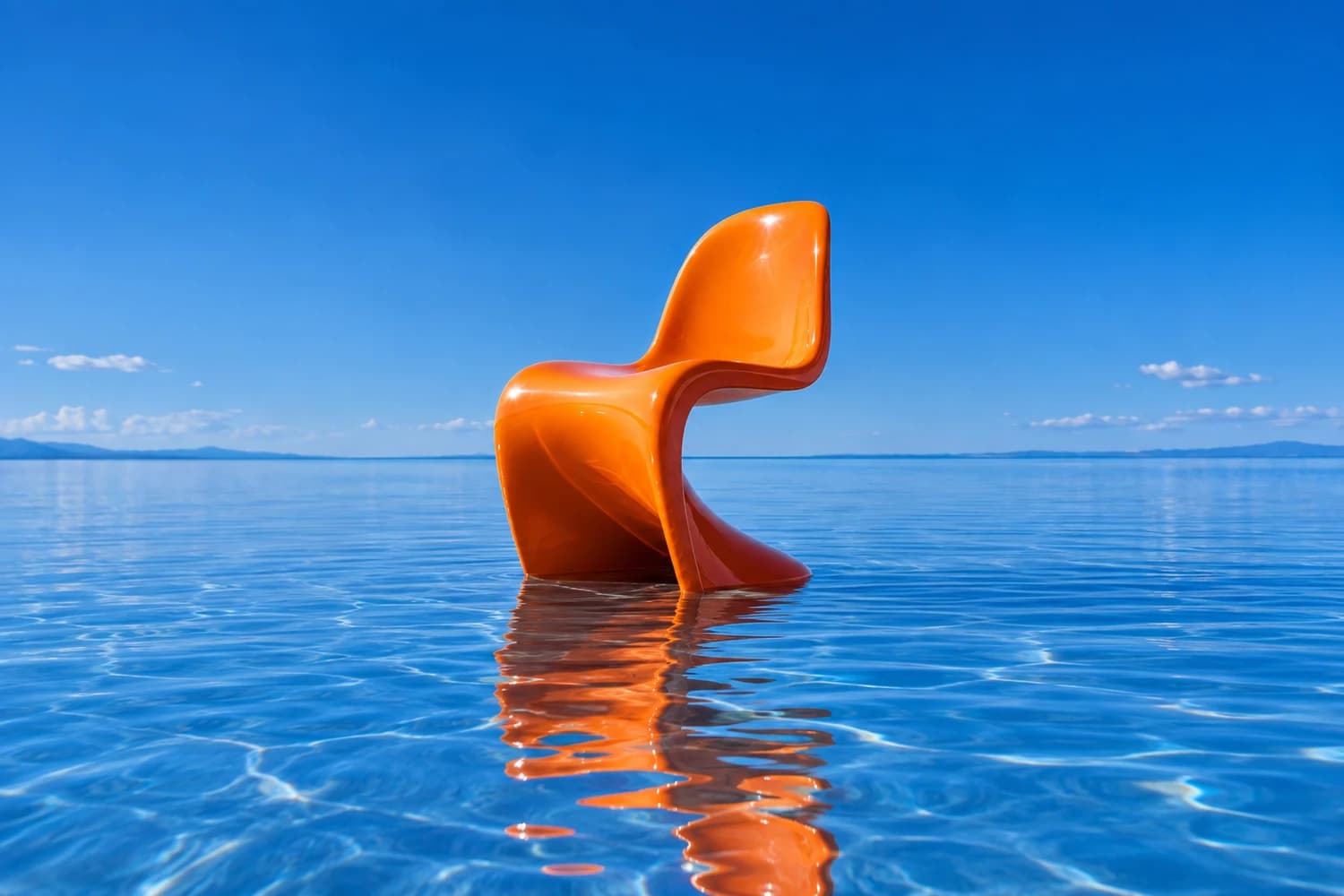
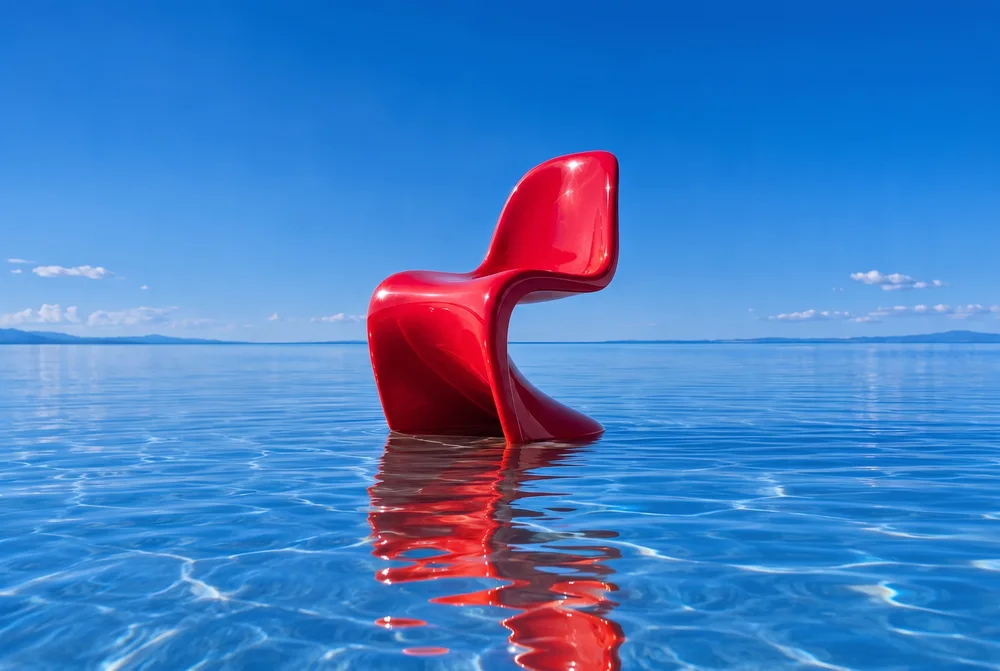
Nano Banana Pro · 3:2 · 2K · 50 credits ·
A focused color edit from one reference image. See the full prompt, output settings, and what changed in the result.
See the before-and-after guideH3 Max · 768×1152 · 6.6 s ·
Our dragon mascot, animated with H3 Max. Start with your own character, product, or scene and describe the motion.
Watch the dragon animationTry an AI outfit change from one photo. Use a ready-to-edit prompt, choose fabric and color, and review faces, clothing edges and fit before sharing.
Explore the workflowCreate an AI product-photo mockup in Spicy Mayo with a clean background, soft lighting and a reusable prompt. Check labels and geometry before listing.
Explore the workflowUse Spicy Mayo to explore gentle AI restoration of a scanned photo. Reduce dust and faded contrast while checking reconstructed faces and period details.
Explore the workflowExplore a look with one model. Try another direction with another. Your plan’s credits work across images and video.
Find the right image model| Model | Best for | Output | Credits |
|---|---|---|---|
| Nano Banana 2.1Image | fast iterations, multi-photo edits, 21:9 | 1K | 30 |
| Nano Banana ProImage | 4K, seven shapes, typography | 2K | 50 |
| GPT Image 2Image | a second interpretation of the brief | Standard | 63 |
| Flux KontextImage | cheapest iteration | Standard | 11 |
| Seedream 4.5Image | 2K on a budget | 2K | 13 |
| H3 MaxVideo | text to video, image to video, first and last frame | 6s · 480P | 60 |
| Veo 3.1 FastVideo | text to video, image to video, first and last frame, reference images | 8s · 720p | 200 |
| Kling 2.5 TurboVideo | text to video, image to video, first and last frame | 5s · Standard | 88 |
| spicy-mayo / “Nano Banana 2.5”Not released | Not a released model: an Arena blind-battle codename that cannot be selected anywhere. See the tracker | ||
Per image or complete clip at the setting shown. Optional video audio is off in these examples. Your studio shows your exact total before generating; earlier plans retain their agreed credit scale.
Describe an image or video. For an edit or animation, upload a clear reference and explain what should change.
Pick the aspect ratio, output quality, and supported video options. The studio shows the credit cost before you create.
Inspect the result, adjust your prompt, or download it from My creations. Keep a local copy of work you want to save.
Work through a real edit, prepare product photos, or give a still image its first few seconds of motion.
An orange chair becomes cherry red. See both images, the exact prompt, and the details worth checking.
Read the guide 02IMAGE EDITING · 5 MIN READPrepare a clean product reference, write a focused background prompt, and check the result for believable shadows, accurate packaging, and useful crop space.
Read the guide 03IMAGE TO VIDEO · 5 MIN READAnimate a product, character, or scene in Spicy Mayo. Learn how to choose a reference, describe motion, compare video settings, and review a short clip.
Read the guideOne balance for images and video. Every plan includes the model catalog.
225 credits to explore your ideas.
Then $29.99/month with 2,200 credits. Renews automatically unless canceled before renewal.
2,200 credits each month.
The regular monthly renewal after your introduction. Cancel renewal in account settings.
2,200 credits each month.
$59.97 billed every 3 months, starting today. Renews automatically unless canceled.
Generating requires a subscription; sign-up does not include free generation credits. Unused subscription credits expire at each credit refresh. Some premium video settings exceed the introductory allowance. Credit details · Full pricing and renewal terms
The spicy-mayo codename, Nano Banana model names, images, video, credits, and getting started.
Need a hand? Contact usSpicy Mayo AI (spicymayo.co) is an independent studio for generating images, editing photos and making short videos with Nano Banana 2.1, Nano Banana Pro and other released models. The studio is named after the codename spicy-mayo (hyphenated): an anonymous image model that appeared in Arena's blind image battles on 9 September 2026 and was widely believed to be Google's next Nano Banana. The models come from Google, OpenAI, Black Forest Labs, ByteDance and others. We are not affiliated with Google, Google DeepMind or Arena.
Read the spicy-mayo model trackerNo. spicy-mayo is the codename of a model seen only in Arena's blind battles since 9 September 2026; "Nano Banana 2.5" is the community's name for it, not an official Google model name. No one can use Nano Banana 2.5: Google has not released a model by that name. On 6 October 2026 Google released Nano Banana 2.1, and trackers report that this is what the spicy-mayo model became; Google and Arena have not confirmed the codename. You cannot select spicy-mayo here or through any public API. Our tracker lists every dated report and what is verified.
Nano Banana 2.5: status and what shipped insteadNano Banana 2.1 is Google's image model released on 6 October 2026 (model id gemini-nano-banana-2.1): an update to Nano Banana 2 with 1K, 2K and 4K output, reference-photo editing and selectable thinking levels. It is selectable in Spicy Mayo for creating and editing images: 30 credits at 1K, 45 at 2K, 60 at 4K, with up to four reference photos in one edit. Spicy Mayo accesses it through fal.
Nano Banana 2.1 in Spicy MayoFor example: a cafe poster with "FRESH BAGELS DAILY" at the top in bold white letters. Request the exact words in quotation marks, keep the text short, and describe its placement. Check spelling and layout after generating. For a final logo or a precise poster headline, add approved typography in a design tool after creating the artwork.
Explore image editingFor example: "same person as the reference, same red scarf, now sitting at a window seat". Use a clear reference and name the features, clothing, and proportions to preserve. Keep the framing similar and change one element per attempt. Reference-based edits can help continuity, but likeness and small details can still vary between generations.
See a real edit and its promptFor example: upload the product and the backdrop, then "place the bottle on the marble counter from the second photo, keep its label unchanged". Nano Banana 2.1 accepts up to four reference photos (JPG, PNG or WebP, 4 MB each) in one edit, so you can combine a product and a backdrop or keep a character consistent. Other image models accept one reference. Some video models offer first/last-frame or multi-reference inputs; those are separate video features.
Check photo editing inputsChoose Edit image, upload a JPG, PNG, or WebP up to 4 MB, and describe what should change. You can request a different outfit, new background, color change, or lighting adjustment. Name the details you want to preserve and inspect the result before downloading. Image editing accepts one reference per request, or up to four with Nano Banana 2.1.
Open the image editing guideYes. Choose Create video to generate a clip from a text prompt or animate a reference image. Some models also support first and last frames, multiple reference images, or generated audio. Available modes, duration, resolution, and total credit cost are shown before generating. This is a clip generator, not a timeline editor for existing videos.
Explore video generationImage models include Nano Banana 2.1, Nano Banana Pro, GPT Image 2, Flux Kontext, and Seedream 4.5. Video models include H3 Max, Veo, Kling, Seedance, and Happy Horse. The model catalog lists supported inputs, output settings, and credit costs so you can choose a model for your project.
Compare all modelsBrowse our examples for outfit changes, product photos, portraits, backgrounds, and image animation. Open an example to load its starting prompt, then adapt it to your own subject. The editing guide also includes an actual before-and-after result with its exact prompt and settings.
Browse examples and promptsOnly through Arena (arena.ai): open the image Battle mode, enter a prompt, vote, and the two model names are revealed afterwards. You cannot request spicy-mayo by name, it may not appear in a given battle, and after Nano Banana 2.1's release it may no longer be tested under that label. For a repeatable workflow with saved history, downloads and the released Google models, use the studio here.
Step-by-step: how to encounter it on ArenaYou can explore the studio, examples, and prompts without a subscription. Generating images or videos requires a signed-in account, an active plan, and enough credits. New accounts do not receive free generation credits. No personal API key is needed.
View plansThe introductory offer is US$1.99 for 7 days with 225 credits, then US$29.99/month with 2,200 credits unless canceled before renewal. The quarterly plan is US$59.97 every 3 months with 2,200 credits each month. Some premium video settings exceed the introductory allowance. Earlier subscribers retain their agreed terms; checkout shows the offer available to your account.
Read pricing and renewal termsWe do not claim ownership of your generated images. You must have the rights to your uploads and respect applicable law, third-party rights, and the selected model provider's terms when using outputs. AI results are not guaranteed to be original or cleared for commercial use. Check people, logos, products, and any written claims before publishing.
Read the Terms of UseNo. Spicy Mayo is an independent studio. Nano Banana models and Veo are Google models we access through fal.ai, alongside models from OpenAI, Black Forest Labs, ByteDance, Kling and MiniMax. Model names are trademarks of their owners. We do not claim to run the anonymous Arena model, and we never will unless it is publicly released.
About Spicy MayoYes. The web studio works in a modern browser on a phone, tablet, or computer. Sign in to the same web account to access My creations. Download and keep local copies of finished work you want to retain.
Give your next idea
a little Spicy Mayo.